
Secure Console Access from Anywhere
Secure Console Access from Anywhere
Access Console Ports over IP
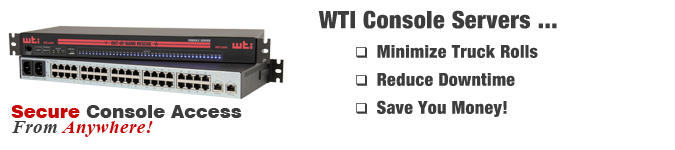
If you need secure, reliable access to RS232 ports on remote servers, routers, firewalls and other network elements, our DSM serial console servers provide an ideal solution. System administrators can reduce downtime by managing and troubleshooting devices from anywhere, without the need for on-site personnel or expensive truck rolls.
DSM Serial Console Servers are available in either 100-240 VAC or -48 VDC powered versions with 40-port, 24-port or 8-port configurations:
Minimize Truck Rolls
If you need to manage and troubleshoot network devices at remote installation sites, then you already know how time-consuming and expensive these "field trips" can be. The DSM Serial Console Server allows you to perform many routine maintenance and troubleshooting tasks via a secure in-band or out-of-band connection, without even leaving your office. The DSM includes a formidable assortment of security and authentication tools to ensure that remote access to critical network elements remain secure, yet easily available to properly authorized personel.
Reduce Downtime
The DSM can constantly monitor your network equipment, watching for significant status changes and then promptly notify you via SNMP, SYSLOG, email or text message when critical events are detected. This allows prompt response to overheating racks, non-responsive devices, power outages and other potential downfalls; cutting downtime by allowing you to address problems before they get bad enough to disrupt service.
Save Money
WTI offers 40 console ports for less than competing 32 port units. When you consider these savings, combined with the money you can save by reducing service calls and downtime, the DSM truly helps those struggling to maintain a high level of service while dealing with a more conservative IT budget.
IP-to-Serial Console Management
- 8, 24 or 40 RJ45 Format RS232 Serial Ports
- Ctrl+Break Command Block Options
- Reverse/Outbound SSH
In-Band/Out-of-Band Access:
- Primary Ethernet: 10/100/1000
- Optional Secondary Ethernet with Fallback Capabilities: 10/100/1000
- 56k v.92 Modem with Dialback Security
- Optional Always On with Failsafe Dual Power Supplies
- IP Passthrough for Cellular Failover
- Local Access (RJ45 RS232 & USB Mini Set-up Ports)
- Supports IPv4 and IPv6
Security and Authentication:
- HTTPS, SSHv2, SNMPv3
- Transport Layer Security (TLS) v1.2
- IPSec (Server/Client) & OpenVPN
- IPtables
- Supports DUO and RSA® Two-Factor Authentication
- SAN Certificate Support
- AAA: LDAP/Active Directory/Kerberos/RADIUS/TACACS+
- Embedded validated FIPS 140-2 Cryptographic Module
- Port-Specific Password Protection
- Invalid Access Lockout & Alarm
Event Monitoring, Logging & Notification:
- Alarms via SNMP, Email or Text Message
- Over-Temperature Alarms
- Ping-No-Answer Alarm (Failed Ping Command)
- Power Cycle Alarm
- Temperature, Command, Alarm & Event Logging
- Lost Communication Alarm
- Buffer Monitoring & Alarms
- No Dialtone Alarm
- Time Stamp & Non-Connect Port Buffering
Unit Management:
- RESTful Web Services API
- DHCP / FTP / TFTP / SFTP / SCP
- CLI & HTML5 Web-Based GUI
- Compatible with WMU Enterprise Management Software
- Multiple Concurrent SSHv2 Sessions
- Full MIB Support
- NTP for True Server Sync
Automation:
- Modules & Plugins Included in Ansible
- SYSLOG & Streaming Telemetry Support
- SNMP
- Zero Touch Provisioning (ZTP) Support
Custom Engineering Support
If you need to modify the DSM's capabilities to fit your application, our engineering team can easily adapt operating features to your specifications. Our in-house engineering team can modify the DSM firmware to fit almost any IP monitoring software application and strategy.
Intelligent Port Selection
Each of the DSM's RS232 serial ports can be individually accessed by number, name, or group via SSH or Telnet. The DSM also allows direct connections using TCP port assignments. Each serial port can be separately configured using simple menu driven commands to set the port access rights, data rates, flow control and other operating parameters.
The DSM's full matrix capability allows you to easily connect any two ports on the switch, even when the ports are using different communications settings. Ports can also be connected or disconnected by a third party with supervisor rights, and system managers can swap various RS232 devices between ports at remote locations.
Security and Co-Location
Secure Shell (SSHv2) encryption and address-specific IP security masks prevent unauthorized access to command and configuration functions. The DSM also provides four different levels of subscriber access privileges: Administrator, SuperUser, User and ViewOnly level.
The Administrator level is designed for system managers and other administrators, and provides complete access to all RS232 serial ports, operating features and configuration menus. SuperUser level accounts are granted access to all DSM serial ports and operating features and are allowed to view configuration menus, but are not allowed to change configuration parameters. User level is ideal for co-location applications; User level accounts are only permitted to view status and connect to ports that are specifically enabled for their individual account. The ViewOnly level accounts are allowed to view status menus for only the ports specifically granted to the account and are not allowed to access configuration menus.
Capture Buffer
In addition to the comprehensive assortment of communications parameters that can be defined for each DSM serial ports, ports can also be configured as "Buffer Mode" ports. When the Buffer Mode is selected, the port can be used to capture and store incoming data such as error and status messages received from the attached devices. This "snapshot" of the most recently received data is stored in memory and can be viewed, saved or erased by the system operator at any time. These error and status messages can be sent to a remote manager via SYSLOG or SNMP trap, and port buffers can also be configured to generate an alarm message to alert administrators when new messages are received.
Request a free demo
WTI products can be demo'd through any of the following options: