
DSM-8 GigE Console Server (8) Port RJ45 + Modem

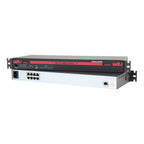
Includes
- Quick Start Guide
- 37-1090-01-6 - USB Console Cable, USB Type A to USB 5-Pin Mini-Type B, 6 ft. (1.8 M)
- RJ11-7 - Telephone Cable, 7 ft. (2.13 m)
- DPC-13-515P-8F - Power Supply Cable, C13 to NEMA 5-15P, 8 ft. (2.44 m) (2 ea.)
NOT INCLUDED
The following part numbers are not included, are sold separately and must be added to DSM-8: NR-MODEM
Overview
The DSM is a next-gen console server designed for the world’s most demanding networks. With resilient connectivity over secondary Ethernet and cellular networks you’ll have 24/7 access to your IT infrastructure, anywhere on earth…even during network outages.
DSM console servers maximize network availability by providing a secure, reliable out-of-band solution for detecting and resolving issues with routers, switches and other network infrastructure remotely. The DSM’s proactive monitoring and remediation features enable network admins to constantly detect conditions and events at equipment sites, edit or restore configurations and avoid network disasters before they unfold, increasing network resilience, ensuring low latency performance and improving business continuity.
Specifications
DevOps Automation:
- RESTful Web Services API
- Modules Available on Ansible Galaxy
- SYSLOG & Streaming Telemetry Support
- Webhooks (Slack/Splunk/Webex…)
- Zero Touch Provisioning (ZTP) Support
In-Band/Out-of-Band Connectivity:
- Primary Ethernet: 10/100/1000
- 56K v.92 Modem with Dialback Security
- Local Access (USB Mini Set-up Port, RJ45 Console/Setup Port)
- Supports IPv4 and IPv6
Unit Management:
- Compatible with WTI Out-of-Band Centralized Management
- CLI & HTML5 Web-Based GUI
- SNMP & Full MIB Support
- FTP/TFTP/SFTP/SCP
- DHCP/DNS/DDNS
- NTP for True Server Sync
- Multiple Concurrent SSHv2 Sessions
Console Port Management:
- (8) RS232 RJ45 Serial Ports
- Ctrl+Break Command Block Options
- Reverse/Outbound SSH
- Port Buffering
Security & Authentication:
- HTTPS, SSHv2, SNMPv3
- Transport Layer Security (TLS) v1.3
- IPSec (Server/Client) & OpenVPN
- IPtables / Static Routes
- Supports Duo, Okta and RSA® Two-Factor Authentication
- SAN Certificate Support
- AAA: LDAP / Active Directory / Kerberos / RADIUS / TACACS+
- Embedded Validated FIPS 140-2 Cryptographic Module
- Port-Specific Password Protection
- Invalid Access Lockout & Alarm
Event Monitoring, Logging & Notification:
- Temperature, Command & Event Logging
- Time Stamp & Non-Connect Port Buffering
- Power Cycle & Lost Communication Alarms
- Ping-No-Answer Alarm (Failed Ping Command)
- Buffer Monitoring & Alarms
- Over-Temperature Alarms
- Invalid Access Lockout and Alarm (IP Filtering)
- No Dialtone Alarm
- Alarm Notification via Email, SNMP, SYSLOG
Specifications
| Connectivity: | |
|---|---|
| Ethernet Port: | (1) 10/100/1000Base-T, RJ45 Ports |
| Internal Modem: | 56K v.92 Analog Modem with Dialback Security |
| Local Access: | (1) RJ45 Set-Up Port, (1) USB Mini Set-Up Port |
| Console Management: | |
|---|---|
| Ports: | (8) RJ45 RS232(DTE) Serial Ports – Cisco Rolled – 300 to 230,400 bps |
| Port Buffer: | 256K per RS232 Port |
| Power Supply: | |
|---|---|
| Voltage: | 100 - 240 VAC, 50/60 Hz, 10 Watts Max. |
| Power Inlet: | (1) IEC-60320-C14 Inlet |
| Physical/Environmental: | |
|---|---|
| Size: | 1.74"H x 19"W x 6.55"D (1U) |
| (4.4 cm H x 48.3 cm W x 16.6 cm D) | |
| Weight: | 12 Pounds (5.4 Kg) Shipping Weight |
| Operating Temperature: | 32° to 140° F (0° C to 60° C) |
| Humidity: | 10% to 90% RH |
| Mounting: | 19" Rack Brackets Included |
| Agency Approvals: | |
|---|---|
| UL 62368-1, cUL, EN 62368-1, IEC 62368-1, FCC Class A |
Downloads
Software
WTI regularly issues software updates to add new features, address irregularities and incorporate new security enhancements.
To speak with a qualified product engineer about custom software requests, please call: 1.800.854.7226.